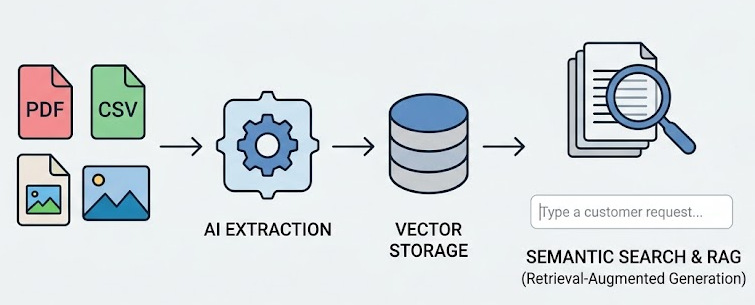
This side project started with a friend describing their small business and how their data is stored: “each customer is a folder with a bunch of random documents (pdf, csv, docx, images)”. Their tour-guide business was becoming too successful and they needed help using their data to template new leads that came in from their website.
I created a process to:
- Extract document text and distill it down to useful data, using AI and JSON schema contracts.
- Create text embeddings (vector storage) for semantic search.
- Create a “generate” function that uses RAG (retrieval augmented generation) to quickly build smart working prototypes from normal language.
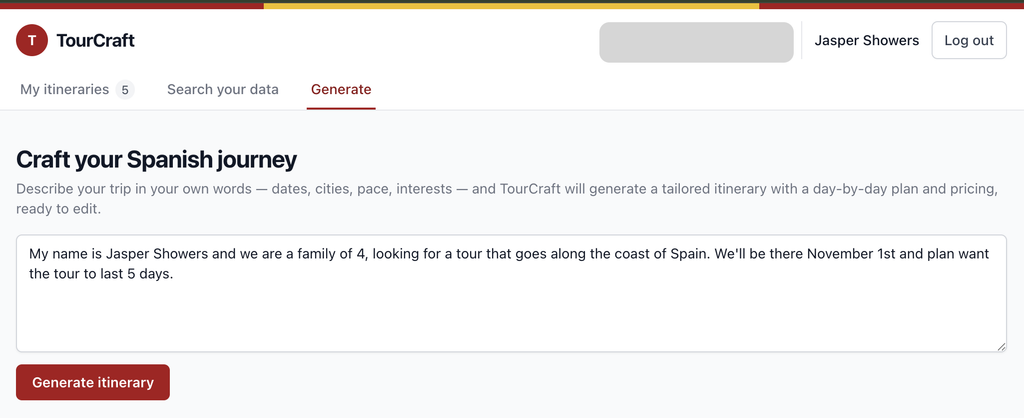
Now they could type or paste natural language queries from customers like:
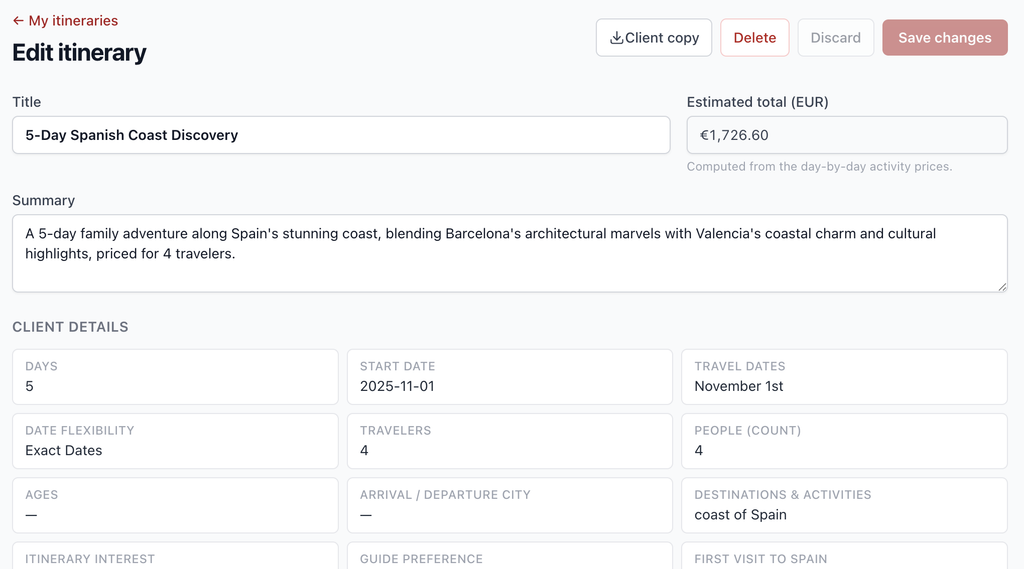
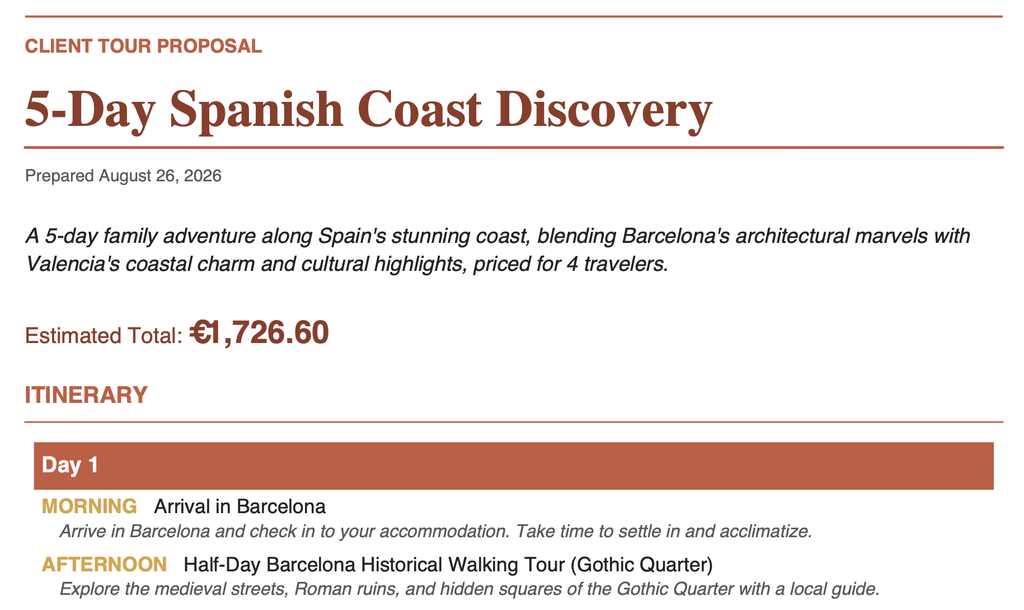
My name is Jasper Showers and we are a family of 4, looking for a tour that goes along the coast of Spain. We’ll be there November 1st and plan want the tour to last 5 days.
Here is how I built it, and the technologies used.
Step 1 — Turning random files into structured data
The messy folders were full of PDFs, Word docs, and Excel spreadsheets. I wrote an ingestion pipeline that extracts text from each format (pypdf, python-docx, openpyxl) and feeds it to an LLM (DeepSeek).
The clever part is the JSON schema contract. Instead of asking for a freeform summary, I define a strict schema and the model must return exactly that shape. Every tour document gets normalized into a structured record:
{
  "client_group_name": "...",
  "document_name": "...",
  "tours": [
    {
      "title_en": "...",
      "total_days": 7,
      "activities": [
        {"day_number": 1, "title_en": "...", "description_en": "..."}
      ]
    }
  ],
  "price_sources": [
    {"service_name": "...", "unit_price": 120.0, "total_price_eur": 240.0}
  ]
}
LLM output is unpredictable, so the ingestion layer is defensive: malformed or missing fields are warned and skipped, never fatal to a run. This is how you turn “years of PDFs” into a queryable database without a human reading a single one.
Step 2 — Semantic search with vector embeddings
Structured data alone isn’t enough — keywords fail when customers describe things loosely (“a coastal route in early winter”). So each tour summary is embedded into a 1024-dimensional vector using jina-embeddings-v3 (Jina’s OpenAI-compatible API), stored in Postgres with the pgvector extension (hosted on Supabase).
Because the source docs are bilingual, each record gets two vectors — English and Spanish — and queries match against whichever is closest using L2 (Euclidean) distance. A query in either language retrieves relevant historical tours by meaning, not exact words.
Step 3 — RAG: retrieval-augmented generation
The “generate” endpoint is the product: paste a lead’s request, get a working draft itinerary.
- Parse the free text into structured inquiry details (travelers, dates, destinations, preferences) via DeepSeek and another JSON schema contract.
- Retrieve the top-k most similar historical templates via the embeddings from step 2.
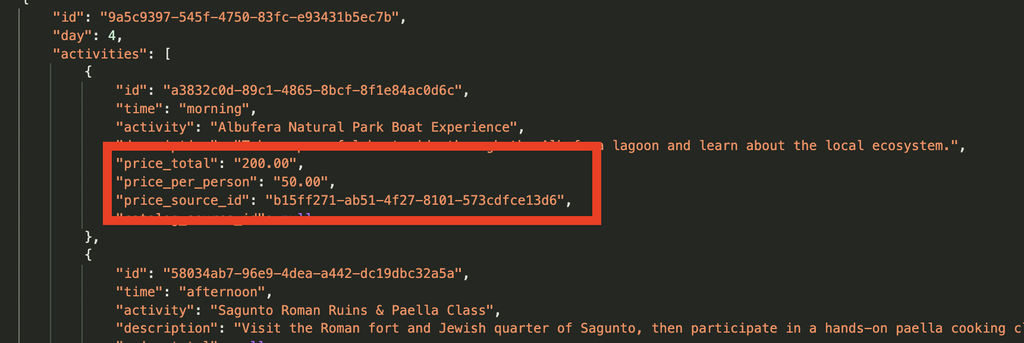
- Generate a proposal grounded in that retrieved context, with prices cited back to the source documents.
A key detail: retrieval runs before any LLM call. If there isn’t enough historical data to ground a response, the API returns a 503 rather than letting the model hallucinate. Every generated line item carries a citation to the historical price source it came from, so nothing is made up.
Step 4 — Editable, shareable output
The generated draft isn’t a dead document — it’s persisted as an editable itinerary via Django REST Framework. The team can tweak it in a UI, and export branded deliverables: a client-copy PDF (built with reportlab) and a Word .docx (built with python-docx).
The stack
- Backend: Python, Django 5, Django REST Framework
- Storage: Postgres + pgvector (Supabase), with embeddings kept in the same DB as the data they describe
- AI: DeepSeek (chat/JSON extraction), Jina AI embeddings via the OpenAI SDK
- Docs: pypdf, python-docx, openpyxl
- Output: reportlab (PDF), python-docx
- Deploy: GitHub Actions → Namecheap cPanel (Passenger), auto-deploy on push to main
What I’d do differently
The extraction pipeline relies on the LLM following a JSON contract, and while retries + defensive parsing catch most drift, schema validation and a human review step would harden it. Also, embeddings age — re-embedding after schema or model changes is a batch job worth automating.
Overall it turned a pile of unread folders into a system that answers “do we have something like this?” in seconds — and drafts the answer too.