At this point in my career, I have set up a TON of APIs, databases, and validation layers. For many years, Postman has been my go-to for testing. It’s been great to me, but it’s finally time to say goodbye. There is now a much faster (and even free!) way to handle integration testing without the manual overhead.
The Stack
To give you some context (while keeping the project details a bit obscured), I recently set up a straightforward Django app using Django Rest Framework.
The architecture involved:
- A simple auth layer.
- A data hierarchy: User -> (Many) Events -> (Many) Photos per Event.
In the past, setting this up in Postman would have been a chore. Dealing with mime types for images, figuring out which content type to send, and the general “multipart/form-data” headaches… it adds up.
Attempt 1: A Simple Script
It started with a simple script I asked my free OpenCode model (Hy3 Preview Free) to generate.
Create a python script to test the running API in the docker container.
I added this to my AGENTS.md file so my AI agents could discover it during development. It worked, but I was burning context tokens every time the agent had to “rediscover” how to run this script. Even if they are free tokens, it’s not good for my context window or my conscience. I needed a cleaner way.
Attempt 2: An OpenCode AI Tool
I dug into the OpenCode AI Tooling documentation and used my free model to handle the configuration changes.
Convert the testing python script into an OpenCode tool for AI agent use https://opencode.ai/docs/tools/
After starting in plan mode and answering some follow-up questions, I realized the tool needed to be rewritten in TypeScript.
/.opencode/tools/submit-entry.ts
import { tool } from "@opencode-ai/plugin"
import path from "path"
import fs from "fs"

export default tool({
 description: "Submit a product entry ...",
 args: {
   image: tool.schema.array(tool.schema.string()).min(1).describe("Path(s) to image file(s) - accepts multiple"),
   token: tool.schema.string().optional().describe("Auth token (overrides .env TEST_USER_TOKEN)"),
   product: tool.schema.string().default("bacon").describe("Product slug (e.g., bacon, tortilla-chips)"),
...
Now, I can just type: “Create a bacon entry with photos,” and the tool handles the heavy lifting. Perfect.
Step 3: The Sub-Agent “Wrapper”
I recently started a larger mobile project using React Native. For high-level architecture, I use heavy hitters like the newly launched DeepSeek V4 Pro.
However, I don’t want to pay “Pro model” prices for simple integration test calls. The solution? Creating an OpenCode Agent to wrap the tool and specify a cheaper model.
/.opencode/agents/submit.md
---
description: >
 Submits product entries with photos to the <whatever> API ...
mode: subagent
model: opencode/hy3-preview-free
permission:
 read: allow
 bash: deny
 edit: deny
---

You are a specialized agent for submitting product entries to the <whatever> API.

When the user requests submitting a product entry (e.g., "submit a chips entry", "upload bacon photos", "create entry with rating"), follow these steps:
Now, when I’m in the middle of a complex feature build with an expensive model, I can say “Create a test bacon entry.” The main agent delegates the task to the Free Sub-Agent, saving me money and context.
The Results
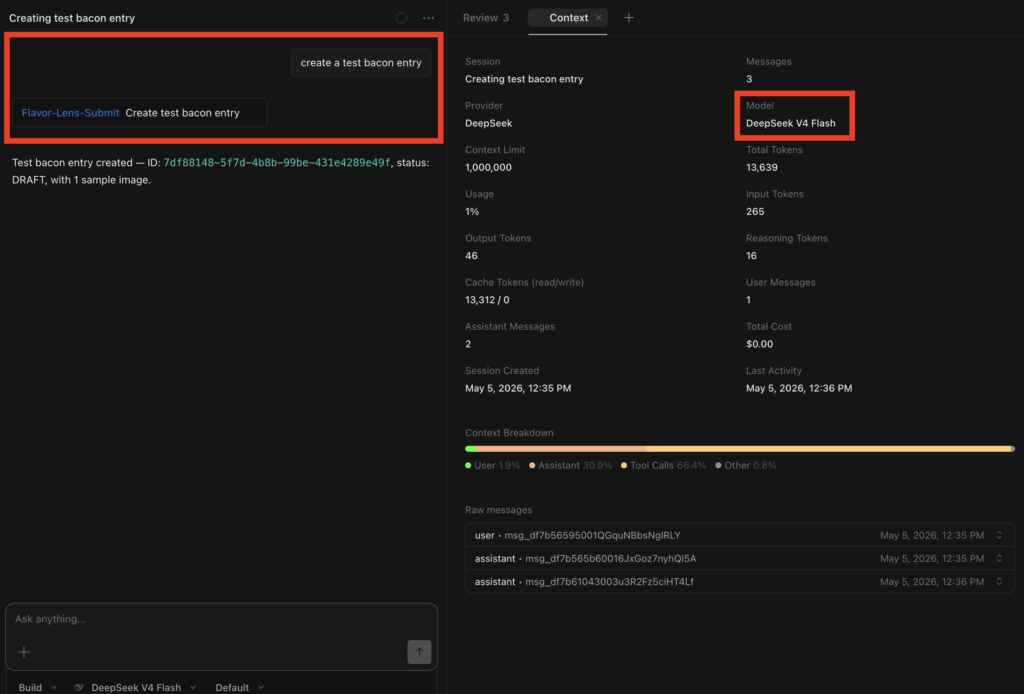
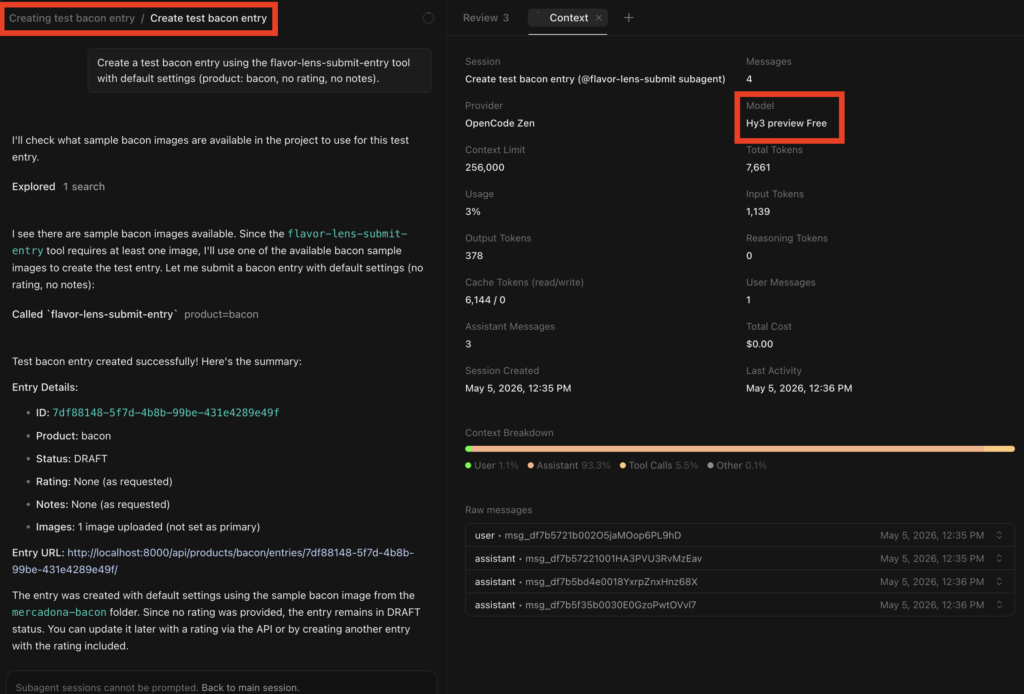
You can see the delegation worked perfectly. Different models, one seamless workflow.
Just to brag on DeepSeek V4 Pro for a second—after some careful prompt crafting, I built a functional React Native app (including API calls, biometrics, and camera functionality) in 30 minutes for exactly $0.33.
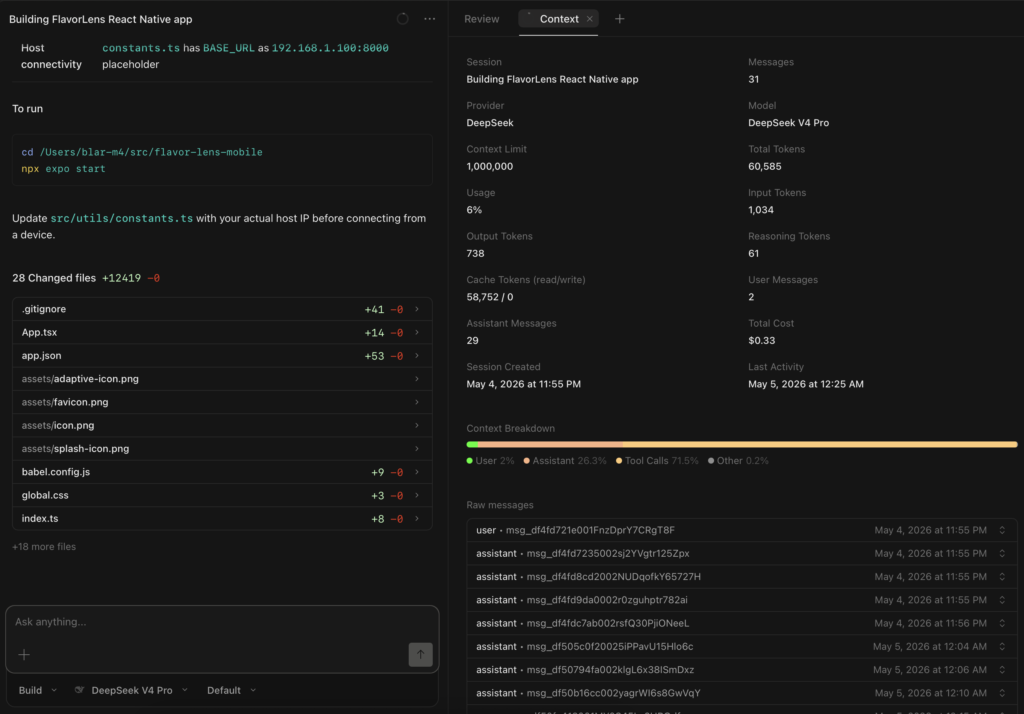
Even at 33 cents, I’m a cheapskate—I still don’t want to waste tokens on integration tests when my free sub-agents can do it for me. 😉
No more hours of Postman management. No wasting paid tokens. 🚀🔥✅✨