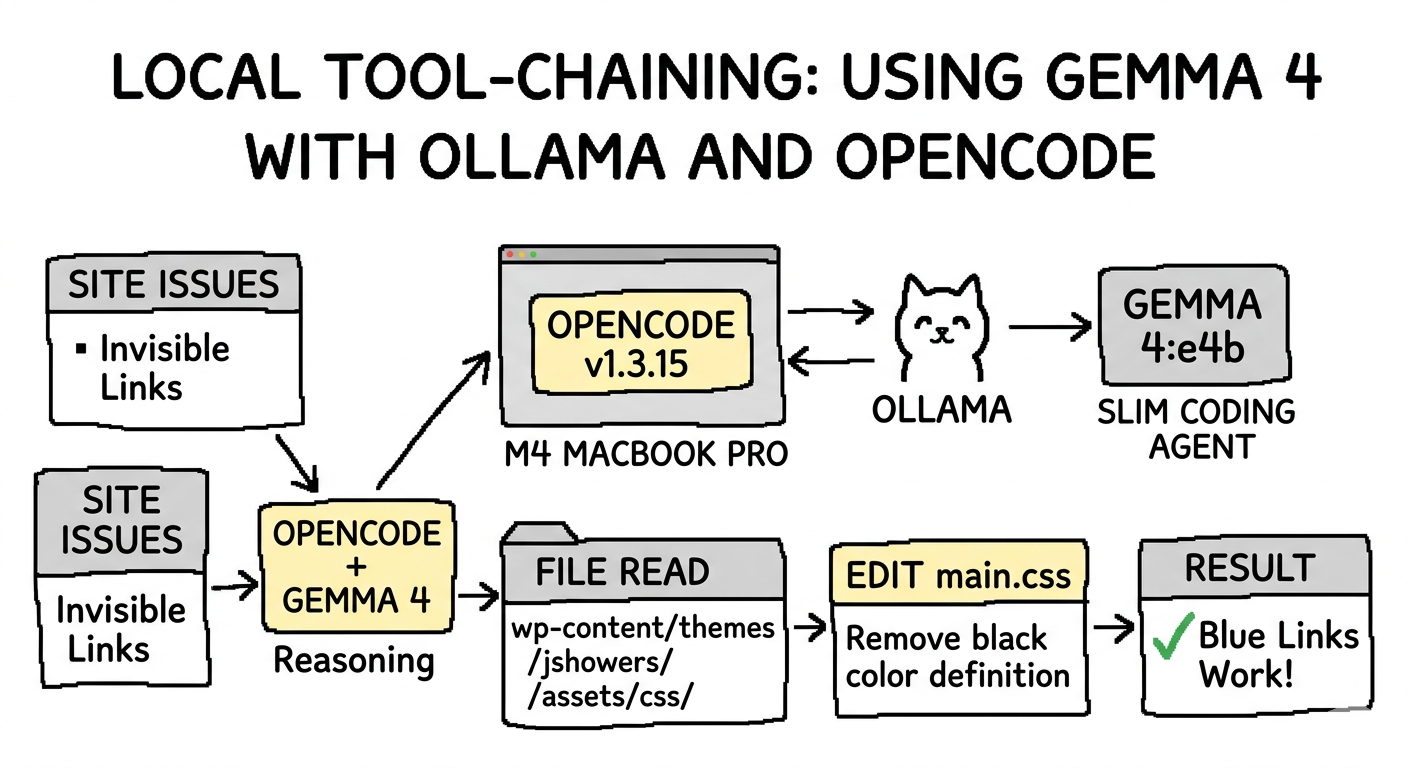
I’ve been spending some time lately experimenting with running LLMs locally to see how close we are to having a truly “private” coding sidekick. Google recently dropped Gemma 4, and the buzz is all about it being the “fast, low-memory local coding agent.”
Naturally, I had to throw it into my workflow to see if it lives up to the hype.
Local Specs
For context, I’m running:
- Machine: MacBook Pro, M4 chip
- Memory: 24 GB
- OS: macOS Sequoia 15.7.4
- Tooling: OpenCode v1.3.15
- Model: Gemma 4 (specifically the
e4bvariant)
Adding Gemma 4 to Ollama and OpenCode
The goal was to see if Gemma 4 could handle complex tool-chaining within OpenCode. First, I pulled the slim coding version designed specifically for tool calling via Ollama:
ollama run gemma4:e4b
Next, I needed to register the agent in my OpenCode configuration. I updated ~/.config/opencode/opencode.json to include the new model:
{
 "$schema": "https://opencode.ai/config.json",
 "model": "ollama/gemma4:e4b",
 "provider": {
   "ollama": {
     "npm": "@ai-sdk/openai-compatible",
     "name": "Ollama (local)",
     "options": {
       "baseURL": "http://127.0.0.1:11434/v1"
     },
     "models": {
       "gemma4:e4b": {
         "name": "gemma4:e4b",
         "tools": true,
         "limit": {
           "context": 32768,
           "output": 8192
         }
       }
     }
   }
 },
 "permission": {
   "edit": "allow",
   "bash": "allow",
   "read": "allow"
 }
}
Using Gemma 4 and OpenCode for a Simple Task
I decided to give it a “simple” real-world task: fixing the link colors on jshowers.com. Currently, links are hardcoded to black, making them invisible against the text. I wanted to strip the overrides and let the Bootstrap default (#337ab7) take over.
Prompt 1: The Learning Curve
The css styling for the links on my site is hard to see at the moment, it is coming from:
#primary-mono .entry-content a {
    color: #222222 !important;
}
but then next is:
a {
    color: black;
    cursor: pointer;
}
update to just use bootstrap default a (it's already there) color defined
color: #337ab7;
My first prompt was a bit broad. The model ran for a while but ended up updating the wrong theme file. I reverted the changes and tried to be more specific by pointing it to the primary source of CSS: wp-content/themes/jshowers/assets/css/main.css.
Even with the file path, the model got caught in a “thinking” loop—trying to decide whether to override or remove the definition. It eventually hit the context limit and started making my MacBook Pro feel like a space heater. I had to cancel the run.
Prompt 2: Thinking Smaller
I realized I needed to be more surgical. I started a fresh context with /new and gave a direct command:
Update this file: wp-content/themes/jshowers/assets/css/main.css. Remove the color definition for links here: a { color: black; cursor: pointer; }
This worked beautifully. Gemma 4 used the Read tool to inspect the file, then the Edit tool to strip the offending line while keeping cursor: pointer; intact.
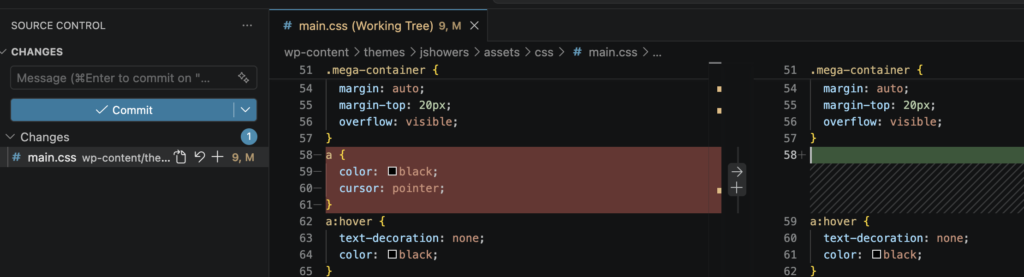
Result: The link color removal is complete. My links are now a beautiful, clickable Bootstrap blue.
(Check out the difference on this affiliate link to see it in action!)
Performance Stats:
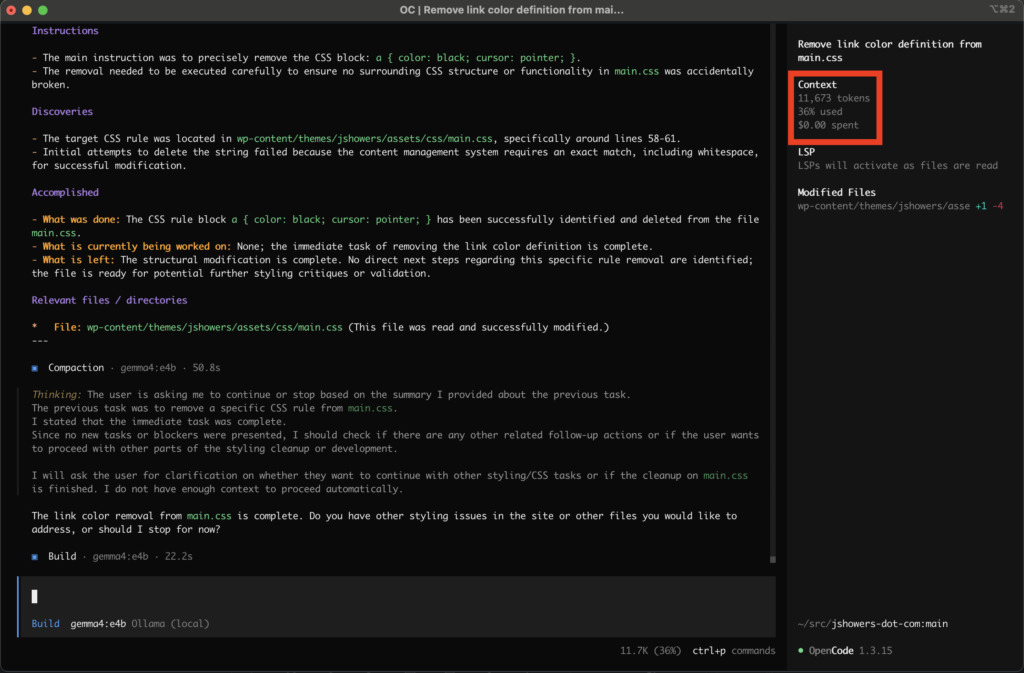
- Context used: 11,673 tokens (36%)
- Cost: $0.00 (The beauty of local!)
Cleaning Up the Project with AGENTS.md
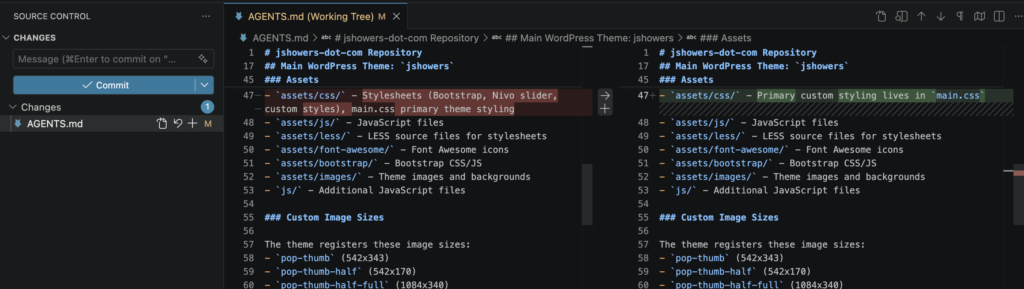
To prevent the model from getting confused in the future, I asked it to update my AGENTS.md file. This file acts as a “manual” for AI agents working on the repo.
Update the AGENTS.md file to explain where the main css styling comes from. Always use wp-content/themes/jshowers/assets/css/main.css to modify styling.
The model handled this quickly, cleaning up previous nonsense and explicitly stating: - assets/css/ - Primary custom styling lives in main.css
Overall Impressions
Gemma 4 is an insane leap in local coding functionality. Compared to other local models I’ve tried (like Qwen or DeepSeek), the speed and the reliability of the tool calls felt like I was using a high-end cloud-based model.
The only bottleneck? Hardware. Even with an M4 chip, intense tool-chaining and large context windows can heat things up and eat through 24 GB of memory fast.
Final Conclusion: The software is here, but I definitely need more RAM.
How are you all running Gemma 4? Let me know in the comments!