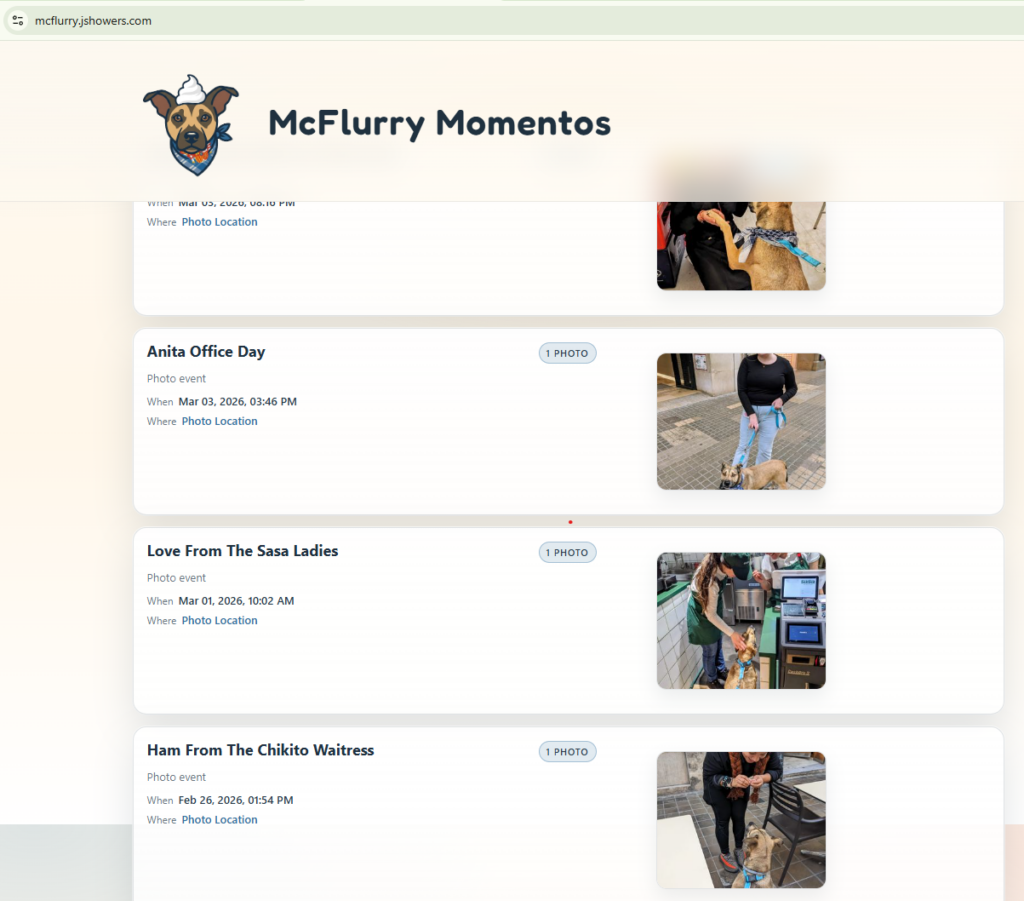
Result: https://mcflurry.jshowers.com/
My new rescue dog McFlurry is popular at cafes and different places around town. I wanted to make a site featuring some photos of her, including photo metadata like: dates and GPS location data.
My goals were to develop this quickly, without touching code, and completely for free.
I started a new git repo, a blank directory, and started OpenCode. Here are a series of prompts.
General Setup
Model: MiniMax M2.5 Free
I want to create a website featuring my dog McFlurry. It will show a list of "events" where each event could have multiple photos.

Each event will have information from the first photo in the event. Regarding gps location, datetime, and any other photo/android metadata.

Just list the events in a list on an html page for now. I want to do this all client side, we can move to a database later. I'll give you the photos to analyze later, just set this up for now.
I had forgot to switch my agent to PLAN mode for this, and let it run for a while. It detected that I didn’t have python or node running on this new Windows machine, so it made an entire PowerShell script to run a server where you could upload images to be processed. Not exactly what I wanted.
I created a few sub folders to structure this differently. I’ll need a separate way to process images later, but for now I want to set up the front end site.
Let's think about this differently. I created some sub folders "process-photos", "photos", and "data". Lets move everything you created for processing the actual photos into the process-photos sub foldres. We'll work on this later. But this is where we'll upload photos and extract metadata for the data folder.

The data folder should hold event files. This will hold photo metadata, the path to the actual photo in "/photos/" (could be multiple). This will be our ghetto database for now, just store in JSON files for now. We will move to database later.

The main folder should ONLY be html/css/js, this is the html that will be deployed to my server for the internet to see. This should be a simple list of all events from "/data/" showing their respective photos for each event, and some metadata about the photos. Make 2 mock events for now with 1-2 photos each.
Site Images and Styling
I wanted to focus on the front-end of this first, so I went over to Gemini , my personal favorite for image generation. I am after a simple logo and favicon. Here is my source.
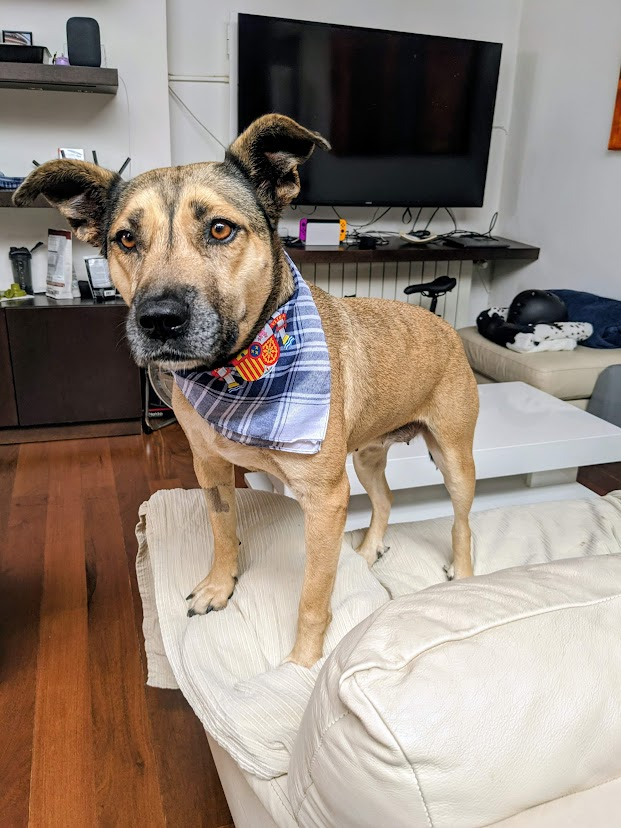
I am looking to create some images. I want a new logo for my site and also a favicon. The site is feature photos of my dog "McFlurry". The logo could be some blend of her face into a McDonalds mcflurry, or something along those lines?
After some back and forth about not wanting text in the image, I quickly got some I liked. Perfect!


The base of my site is there, but it’s dark and dreary. Not the tone I am going for.
Back on OpenCode:
This looks great, I commited those changes to git. Let's work on the styling next. I added a logo and favicon in "/site-images/" use those. Also, lets make the site less dark, it's very dark right now this should be light and fun project. Match color theme with the colors of mcflurry in the logo.
At his point, it was time to start a new context. I spun up a new agent to focus on nitpick styling and text changes.
I want to update the styling on this site.

Change title: "McFlurry" to "McFlurry Momentos" - page title too
remove: "A lighthearted event log of her adventures"

Remove this whole section: "This page is the public-facing site. It simply reads event JSON from /data/ and photos from /photos/, then renders a list of McFlurry's events."
Update the styline of the site, the logo is very small and I can't read the text. Make it larger. Are there any subtle fun image effects we can add?
… and many more short prompts about removing certain texts, updating the title. All things I could have done quickly myself.
Image Metadata Processing
I consider my front-end done at this point. It has some mock “cards” for these photo events, but now I want to start using real data. I go to google photos and download all the original photos I want to use.
I want to make a script to:
- Extract metadata from each picture of when the picture was taken, and the GPS coordinates
- Store this in .json files (of course this should be in a database, but I wanted something quick and client-side only)
- Create thumbnails of these images for when I host them
I created a new /queue/ folder and dumped a few samples images in there.
I added some photos in /process-photos/queue/ - I want you to create a node script in /process-photos, that I can run. It should process the queue folder and treate each image as a single event for the project. Extract metadata and the title from the image name. Create a new event in the /data/ folder for each. Also create a thumbnail of the images to not use a ton of bandwidth. You can keep the orignial image as well for now.
Trial and error…
That's a great start. Lets change the script I want to:
- create 3 thumbnails for each image, small medium and large
- it should be extracting metadata from the picture and use the date and location
- Title of the even should be human friendly and redable
- I don't think we need a /data/index.json/ file, just use all json files in the folder if we can?
Why is the date in the data always todays date. Do the photos not have the metadata with them? How do I download from google photos with the metadata? I don't want to have to manually enter this
It then tried to lie to me about not being able to get metadata from the picture until I proved it existed
On this site:
https://exif.tools/upload.php

When I upload that same photo I see metata:
Create Date	2025:12:21 12:29:47

But I just ran the script again and in the logs I see:
```
IFD0: undefined
GPS IFD: undefined
Parsed date: 2026-03-04T10:57:39.954Z
Parsed camera: null
Parsed GPS: null null
Created event: event-first-meeting-biopark - First Meeting Biopark
Processed and removed: first meeting biopark.jpg
```
After some debugging, I’m able to see location data and the date/time extracted from each picture into the data folder. Let’s create a knowledge base for an agent to come back to this later.
Great - add an agentic readme in the process-photos sub folder about how this process works for future agents
Final touches
For the event cards, only show one date instead of the date range
for the image, when clicked, open the LARGE thumbnail value in a new tab for display
Use the lat/long data to make a google maps link for the "where" value,

google.com/maps?ll={location.lat},{location.lon}

In a new tab
photo cards should be arranged by date, where the newest are at the top
I committed everything to git, and uploaded the client files – leaving out the processing script and original images.
TaDa! https://mcflurry.jshowers.com